

These instructions guide you through onboarding SentinelOne API Activity logs into AiStrike.◼︎
Prerequisites
Before you begin, ensure you have the following:
-
SentinelOne Administrator Access: You must be able to create Service Users in your SentinelOne account.
NOTE: You may have to share two API keys, the SentinelOne User API Keys and AI SIEM API Keys (based on what SentinelOne Services are enabled for you).
Step 1: Create a SentinelOne Service User and API Token
You need an API Token from a Service User that has the Viewer role in your SentinelOne account.
-
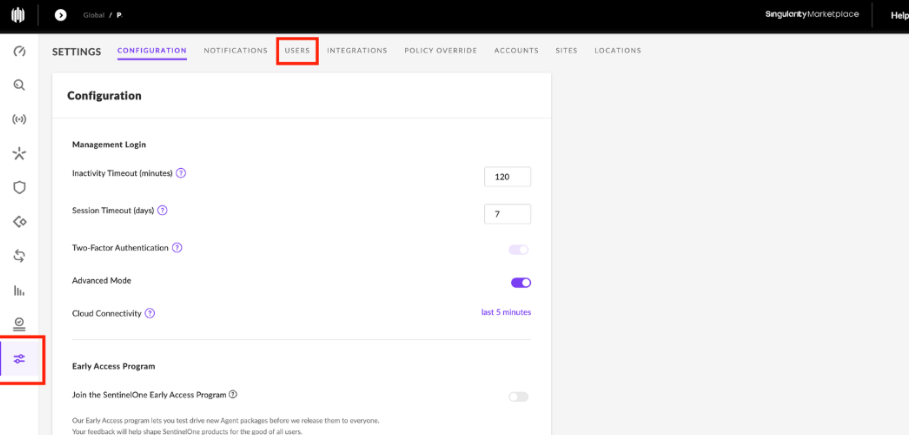
Log in to your SentinelOne Dashboard and navigate to Settings in the left-hand sidebar.
-
At the top of the Settings page, select the Users tab.
-
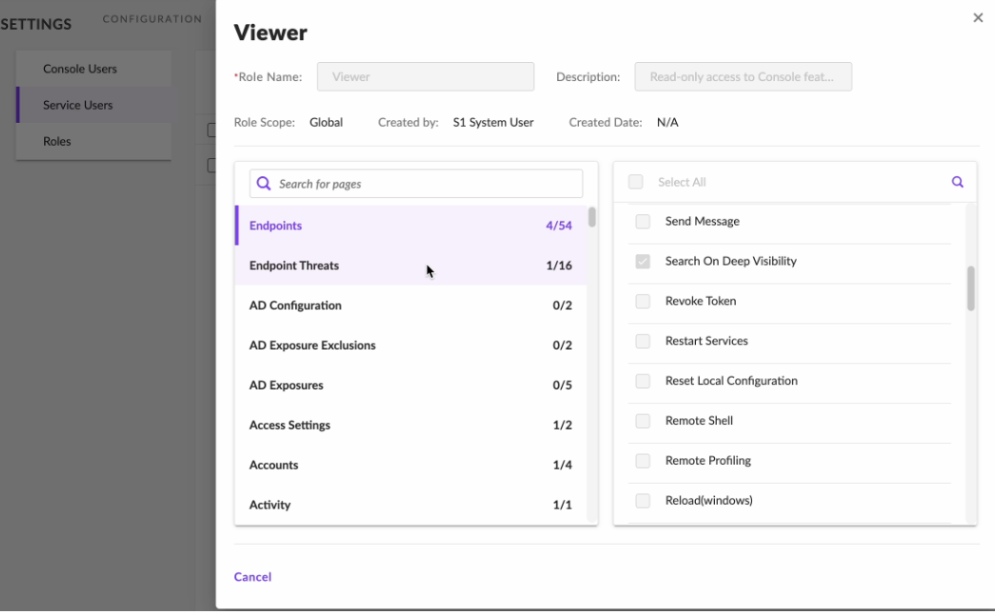
Ensure you have a customer role with all permissions for Read (Viewer/SOC) and IR (Response).
-
Go to Settings > Users > Roles. Duplicate the Viewer role.
-
Rename the new Viewer role "ServiceRoleAiStrike."
-
Add these additional permissions:
-
All Read permissions from all services in addition to what the Viewer role already had (Example: View and other read permissions).
-
All required response capabilities — IR Role (scan, file fetch, Fetch logs, Search on Deep visibility).
-
-
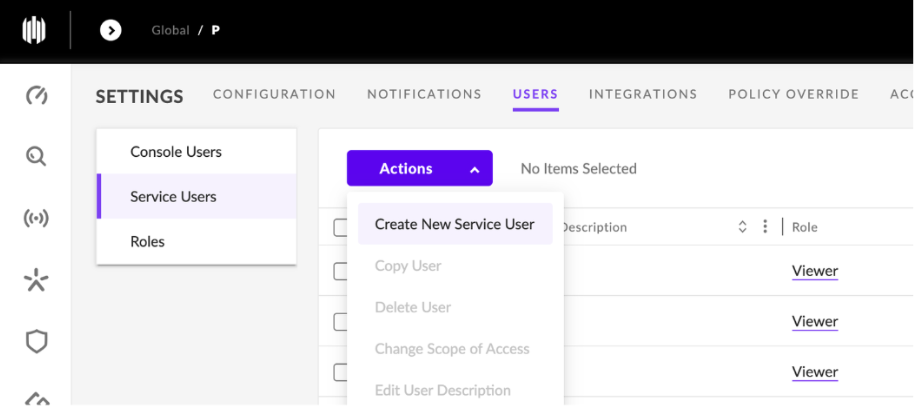
On the left panel of the Users page, click Service Users.
-
Click the Actions dropdown and select Create New Service User.
-
On the Create New Service User page:
-
Enter a Name and Description for the service user (
AiStrike_Service_Account). -
Set an Expiration Date, 1 Year or custom as per the Scope of engagement.
-
Click Next.
-
-
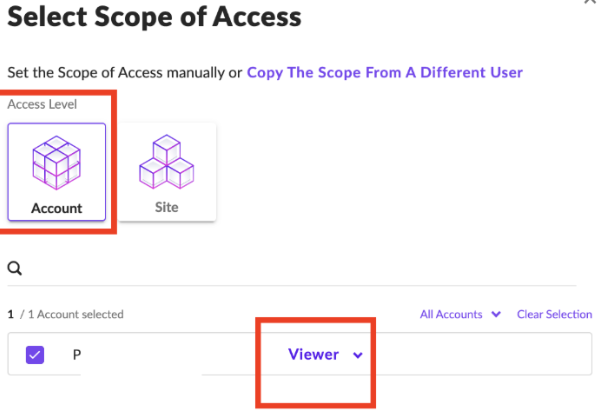
On the Select Scope of Access page:
-
Set Access Level to Account.
-
Ensure the correct account is selected.
-
Set the Role to ServiceRoleAiStrike or, if not available, Admin (Investigation+Response)/Viewer (Read-only) Role.
-
-
Click Create User.
-
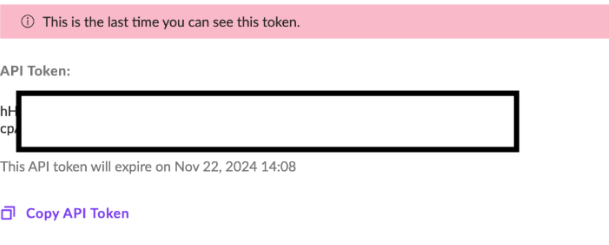
Copy the generated API Token and store it securely. You will need this token to complete the log source onboarding in AiStrike.
-
Add the configuration details in AiStrike Integrations or securely share with your AiStrike Account manager.
-
Required Fields:
-
SentinelOne API Base URL
-
API Token
-
For the SentinelOne XDR integration, we will require access to the following:
-
An API key with Read and Response permissions
-
A read-only UI account for platform access
NOTE: If the customer is also using SentinelOne AI SIEM, we would additionally require an API key for that environment. (Policies and settings > Product and Service > AI SIEM > API Keys (Read-Only))