

1. Introduction
This document provides step-by-step instructions for integrating ServiceNow with AiStrike, enabling automated and manual alert notifications, as well as direct incident response actions within ServiceNow.◼︎
2. Prerequisites
Before integrating AiStrike with ServiceNow, ensure the following:
-
Admin creates a new user with appropriate roles.
-
Create a New User in ServiceNow (email if required,
threat@aistrike.com)
-
-
Log in to ServiceNow as an admin.
-
Navigate to User Administration → Users.
-
Click New, enter a User ID, and click Submit.
-
Search for the newly created user, select it, and set a password. Copy and save it securely.
-
Assign the following roles to the user:
-
rest_api_explorer -
web_service_admin
-
-
Use the created User ID, Password, and ServiceNow Domain in AiStrike's integration as described in Step 2.
3. Integration Steps
-
Authenticate into AiStrike.
-
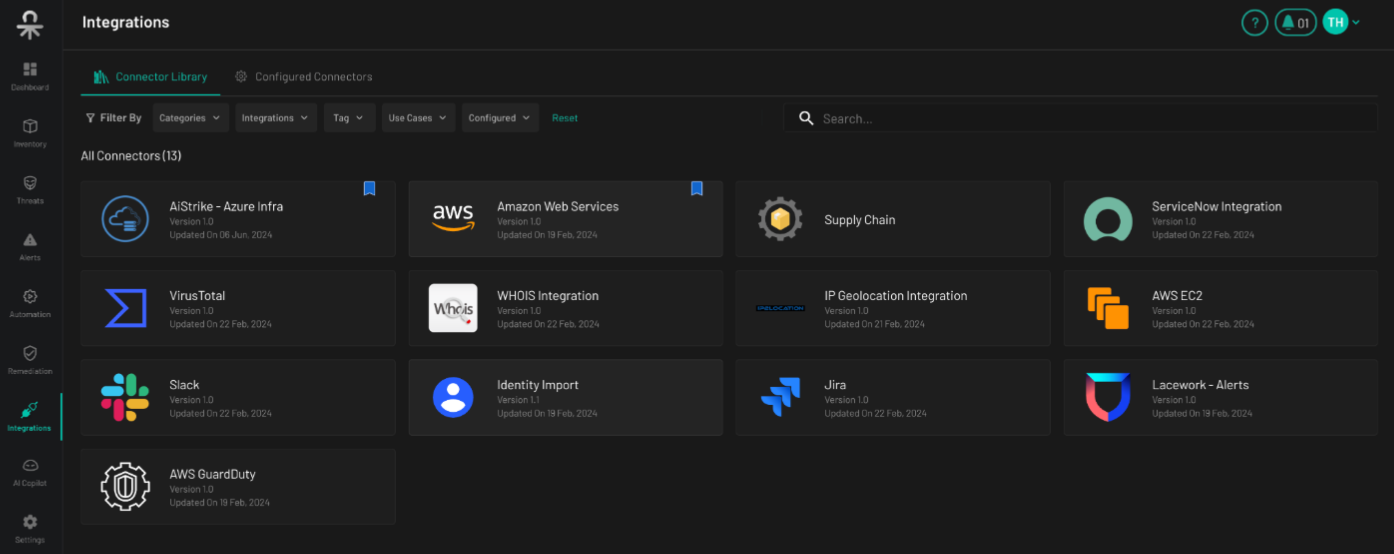
Navigate to Dashboard > Integrations.
-
Locate ServiceNow Connector and click Connect to ServiceNow.
-
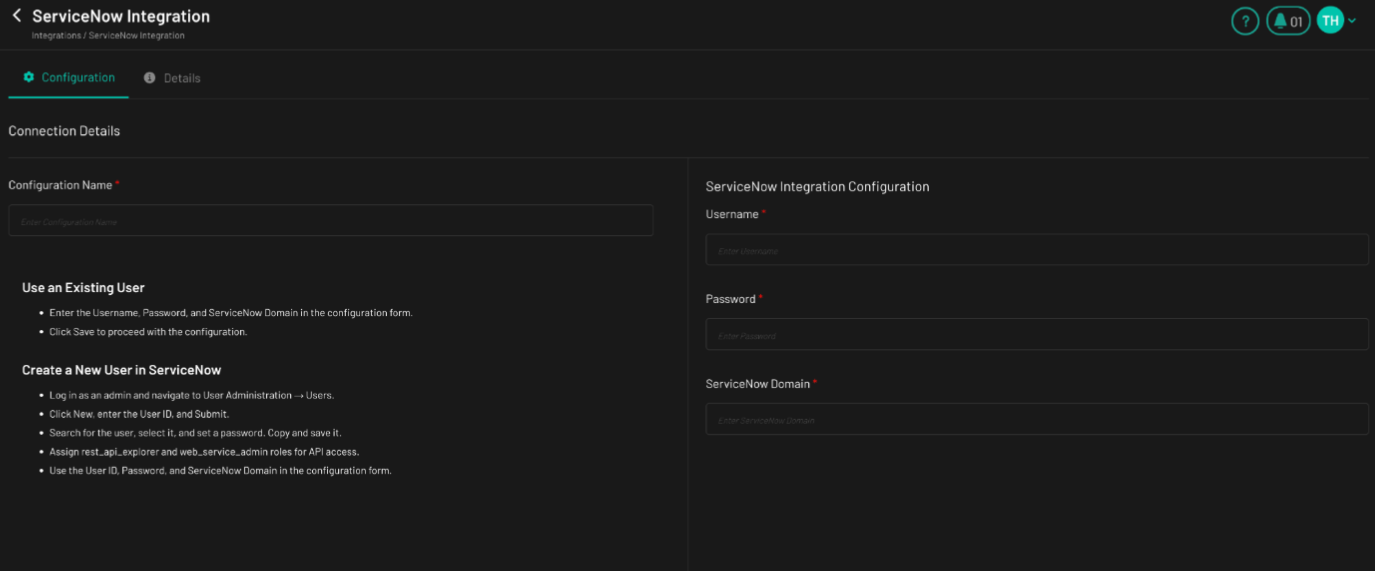
Enter the following details:
-
Username
-
Password
-
ServiceNow Domain
-
-
Click Connect to finalize the configuration.
4. Testing ServiceNow Connectivity and Notifications
-
Navigate to any Composite Alert in AiStrike.
-
Go to the Remediations tab.
-
Click the ServiceNow Icon.
-
Verify that a notification has been successfully sent to ServiceNow based on the configured integration.
This completes the ServiceNow integration with AiStrike, allowing seamless incident response and alert management.